
Consistency of modelling can be key to both re-use of a model, and automated reporting on a model. Although rigid in it’s syntax, the ArchiMate language is fairly flexible in it’s use. There are a multitude of options when choosing which relationships and optional properties to use when modelling, especially when considering derived relationships between components. It is useful to define a standard metamodel over the ArchiMate standard to enable a consistent approach to modelling and naming.
I recently attended the BCS Enterprise Architecture Conference ’22. The first presentation of the day highlighted the need for this standard approach, and I took a moment to discuss this with the presenter. He mentioned that other tooling supports the ability to audit a ArchiMate model against a set of standards when a model is checked back into the repository. Not having the luxury of affording a full EA platform, I wanted to see what could be achieved in Archi using the jArchi scripting language.
The Problem
Consider the following basic model:
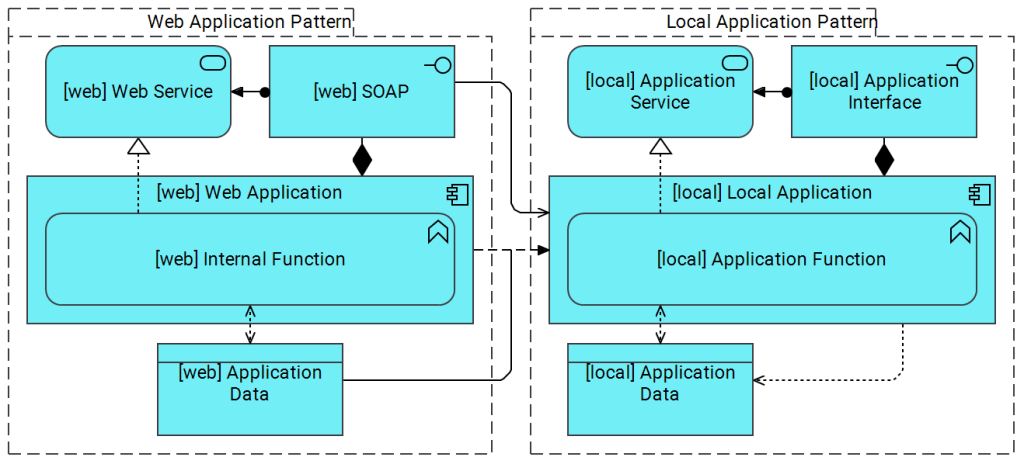
This model shows a standard approach where two applications are integrated, the “Local Application” calls the “Web Application” SOAP Web Service to retrieve “[web] Application Data”.
This basic pattern can be described with the following Meta Model, showing all the valid relationships.

But how can we validate that the model above conforms to the meta model?
Enter “AuditModel.ajs“
AuditModel.ajs – Setup
To use the Audit Model jArchi script, you must first create an “Audit” view in your model, this view will contain your valid meta model. Each of the component’s field (name, documentation, properties) will contain regular expressions to execute against our view for validation, for example above I would:
- Create new “Audit” view in model
- Add “Application Component”
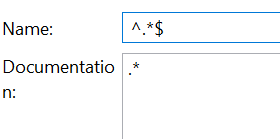
- Set Name: ^.+$
- This could be more advanced, for example, the following regular expression checks for a name in the format “ Name (instance) [proposed]"
^([\w+] )?([\w -:./@]+)( ([\w -]+))?( [proposed])?$
- Set Documentation:
\w+- This regular expression checks that there is at least one "word" character in the documentation field.
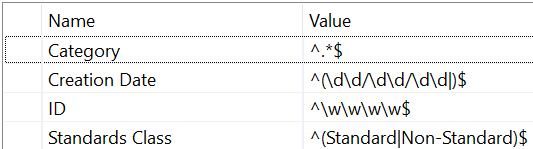
- Add any "Common" properties you wish to validate in your model, for instance I use:
- Name: Category
- Value:
^.*$ - Name: Creation Date
- Value:
^(\d\d/\d\d/\d\d)?$ - Name: Standards Class
- Value:
^(Standard|Non-Standard)$ - Name: Id
- Value:
^\w\w\w\w$
- Set Name: ^.+$
- Add the "Flow" relationship from the "Application Component" back to itself (creating a loop)
- Add the nested "Application Function" using the Assigned Relationship
- Add "Application Service" "Realised" from the "Application Function"
- Add "Application Interface"
- "Composed" from the "Application Component"
- "Assigned to" the "Application Service"
- "Serving" the "Application Component"
- Add "Data Object" "Accessed" by the "Application Function" and "Associated" with the "Flow" from "Application Component" to "Application Component"
- Set the Name and Description for all the elements as above.
This should leave you with something along these lines:
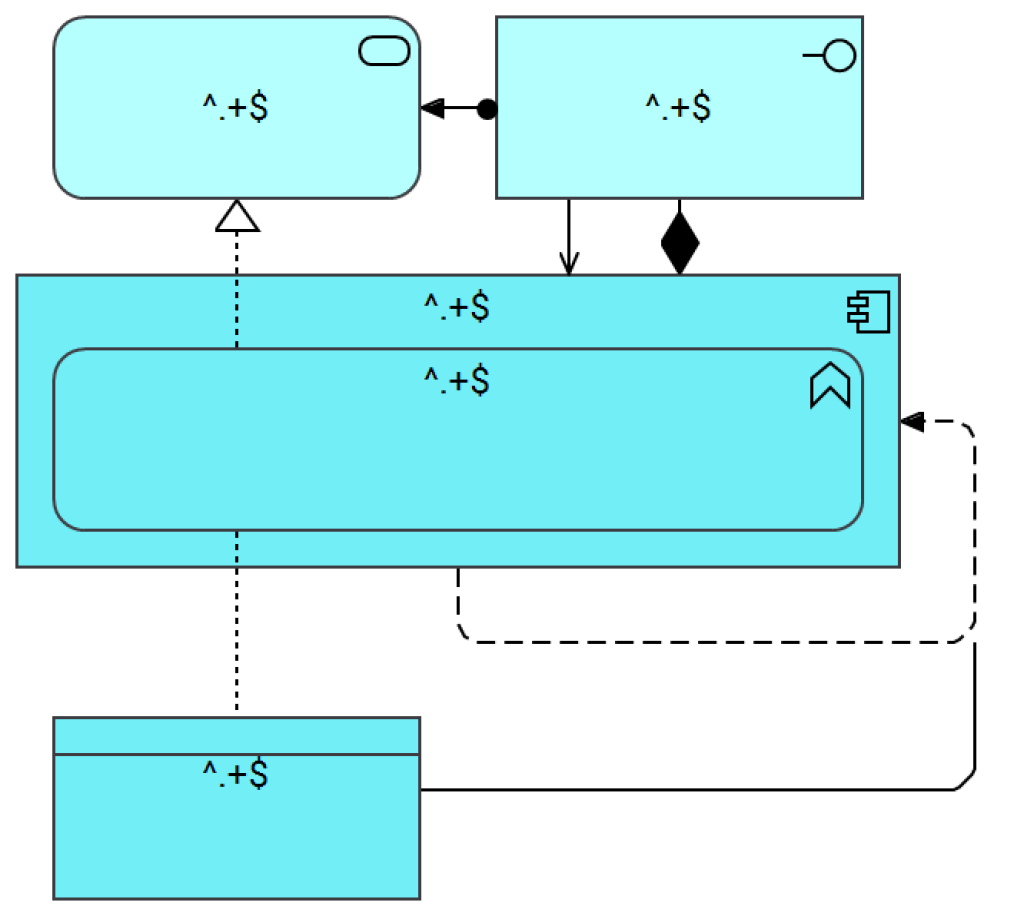
Feel free to set the "Labels" for these elements back to their original names for clarity.
The "Name" "Description" fields should look something like this:
And the "Properties" for the "Application Component" should look something like this:
We are now in a position to run the script.
AuditModel.ajs - Execution
The Audit Model jArchi script is launched against the view you wish to audit, the script will:
- Check you have selected a view
- An error will be raised if not.
- Load the "Audit" view (hardcoded name)
- An error will be raised if this cannot be found.
- Ask whether you want just the "Audit Report" or to "Colourise" the view to highlight issues.
- Ask whether you wish to audit the Elements, Relationships or Both.
- Based on your selection, the script will then:
- Audit Elements
- Check for all Elements from the "Audit" view on the selected view.
- Validate Name/Description against the provided regular expression.
- Validate all Properties against the provided regular expressions.
- Score the Element a score out of the total number of fields.
- Audit Relationships
- Check for all "valid" relationships out from each Element.
- Validate that the Relationship is of a valid type to a valid Target
- Score the relationships a score out of the total number of relationships on the element.
- Colourise?
- If the score is the maximum possible score, the outline is reset to default.
- If a score is low the element is outlined RED.
- Otherwise the element is outlined AMBER.
- Report
- The name of the Element and invalid Fields or Relationships are output to the "Scripts Console"
- Audit Elements
AuditModel.ajs - Example
Right clicking on the model above we can choose to run the AuditModel script:

We are then asked whether we wish to Colourise the view, or see the Report Only:
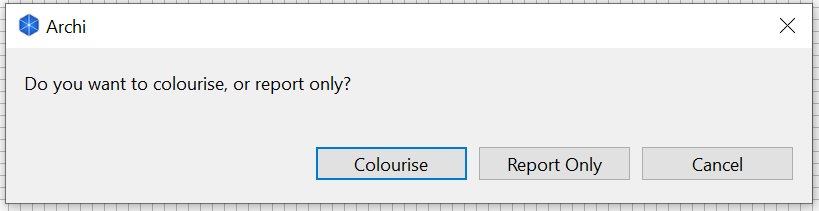
Choosing "Colourise" we can then select what we want to Audit:
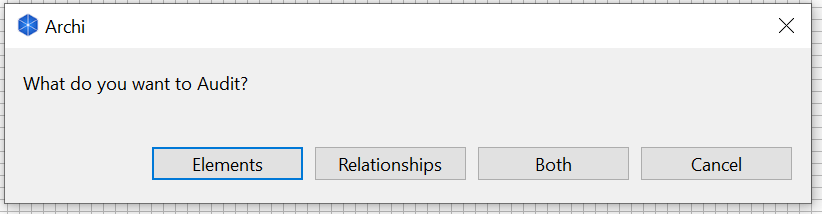
In this case "Both".
The View is then updated to the following:
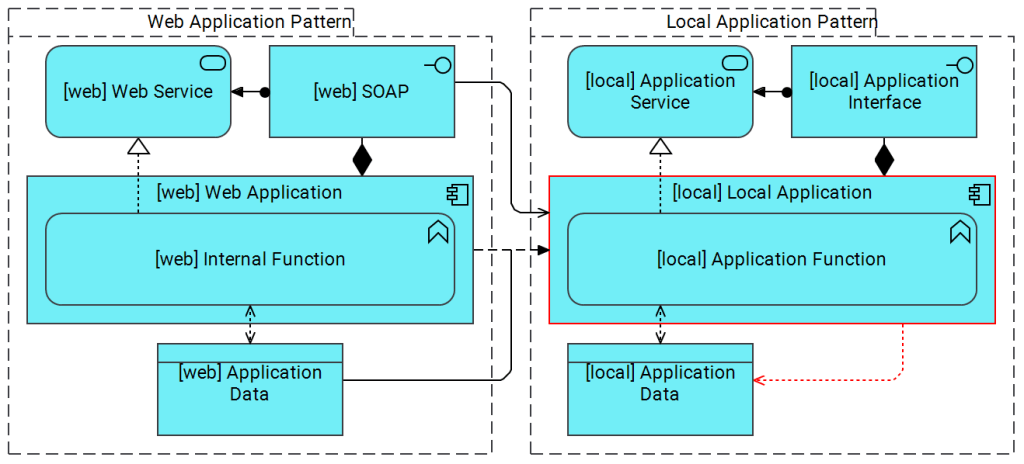
Note the "Local Application" and the Relationship to the "Application Data" are both highlighted.
The following Report is output to the Scripts Console:
Audit Model Script
application-component: [local] Local Application
Invalid Property: ID ()
Invalid Property: Standards Class (Brian)
Invalid Relationship: (access-relationship to [local] Application Data:data-object)
6/9
Here, we can see that the Access Relationship is invalid, as there is no "Access" relationship between the "Data Object" and "Application Component" in the "Audit Meta Model".
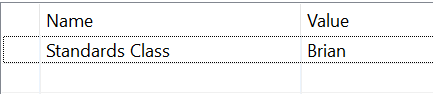
The "ID" property is also missing from the "Local Application", and the "Standards Class" is set to an invalid entry:
AuditModel.ajs - Downloading
I hope that this script is of use to the community, I've already been finding it useful in validating my own architectures. The setup process is a little convoluted, and I plan to try and automate the creation of a basic meta model as part of the script in a future version.
As always, the script can be downloaded from GitHub Gists here:
 General Geekery
Looks great. I did a similar thing using models to define the conformance rules https://www.tamebluelion.co.uk/managing-model-conformity-in-archi
LikeLike